

There has never been a better moment to be a founder with too much to do.
The tools below will take your dictation, sit in your meetings, clear your inbox overnight, build your prototype before Friday, research two hundred prospects while you sleep, answer your customers at 3am and close your books without a bookkeeper.
Most of them did not exist two years ago. Most of them have a free tier good enough to run a company on. Twenty-one of them will give you a discount you have to ask for, and one will hand you $50,000 in credits.
The catch is that nobody tells you which is which. Vendors bury the real price under a second meter. The best discounts are unlisted, and several expire ninety days after you sign up.
So we did the work. We took the founder’s week apart hour by hour, asked which tool removes a block of it permanently, and then went and found the price you should actually be paying.
Every entry gets the same five things: what it removes, what it costs, what the free tier really covers, the deal to claim, and where to start in your first hour.
Three tools clear the bar by a distance. They are the three we would install first in any company, at any stage, in any sector, and they are below in full.
Want to get in front of 250k+ founders and investors?
For sponsorship opportunities across The Founders Corner newsletter and LinkedIn (160k followers), email: founderscornermedia@gmail.com
1. Wispr Flow. You Type at 40 Words a Minute. You Speak at 150.
This is the one that changes the most and gets discussed the least.
Wispr Flow is a dictation layer sitting across your whole machine. You hold a key, you talk, and clean formatted text appears in whatever app your cursor is in. Slack, Gmail, Notion, a code comment, a WhatsApp reply.
The gap it exploits is not subtle. The average person types at around 40 words per minute and speaks conversationally at 120 to 160.
That gap has been measured properly. In 2016 a team from Stanford, the University of Washington and Baidu ran a controlled experiment against the iOS keyboard. Speech input was 3.0x faster in English with a 20.4% lower error rate, and 2.8x faster in Mandarin. The paper is called, unambiguously, Speech Is 3x Faster than Typing.
What has changed since is the cleanup. Older dictation gave you a wall of ums and missing punctuation, so you spent the time you saved editing. Wispr strips the filler, applies the punctuation, and shifts register based on the app you are typing into. A Slack message comes out casual. An email comes out formatted.
What it costs. Pro is $15/month, or $144 a year, which works out at $12/month. Teams runs around $10 to $12 per seat on a three-seat minimum.
Free tier. 2,000 words a week on Mac and Windows, 1,000 a week on iPhone, plus a 14-day Pro trial with no card.
The deal. Students get three months free then $6/month on annual with a verified .edu address. Non-profits are listed at $8/month on annual.
Start here. Do not read a tutorial. Turn it on, then force yourself to dictate every Slack message for three days. The learning curve is entirely in your head. The one thing worth configuring on day one is the custom dictionary: load it with your product name, your competitors and your teammates’ names before you start.
The catch. Cloud-processed only. There is no offline mode, so if you work in a regulated environment or on a plane a lot, read the compliance page before you roll it out. The free word cap is also low enough that you will hit it in two days of real use, which is rather the point of it.
Dictate for three days, then try going back. Almost nobody does.
2. Granola. The Meeting Notes Tool That Does Not Join Your Meeting
Every other notetaker sends a bot. A little rectangle appears in the call called “Otter Notetaker” and the temperature of the conversation drops half a degree, because a founder pitching you does not love being recorded by a robot.
Granola runs locally on your machine instead. Nothing joins. No one is told.
The second design decision is the better one. Granola is not built to replace your notes, it is built to complete them. You type your usual scrappy fragments during the call, and afterwards it merges what you wrote with what was said. What comes out is structured the way you were already thinking, rather than a generic summary of everything anybody said.
For a founder running eight investor calls in a week, that is the difference between eight sets of notes you will never read and eight briefings you can actually search in October.
The market has noticed. Granola raised $125m in March 2026 at a $1.5bn valuation, led by Index Ventures with Kleiner Perkins, six times its $250m mark from ten months earlier. Total funding is around $192m. The company is London-based.
What it costs. Business is $14 per user per month. Enterprise is $35 with SSO and org-wide controls.
Free tier. Real, and generous on features. It caps your history, and the published limit moved during 2026: some documentation says 25 notes, some says 30 days. Check before you build a process on it.
The deal. Granola is a partner in one of the three claim routes we break down below, which lists three months free for your whole team rather than a single seat. Eligibility is headcount only: under 50 employees, and pre-launch is fine with a working prototype. One application covers it alongside fifty-odd other tools, and we name it, plus the two routes that beat it, in the claiming section.
Start here. Build one custom template before your next investor call. Make it a template with your actual diligence questions in it, then type rough fragments during the call rather than nothing. The template is where most of the value lives and most people never touch it.
The catch. Granola rewards participation. Sit silently and type nothing and you get a summary like everyone else’s. The magic is in the merge.
3. Fyxer AI. It Triages the Inbox Before You Wake Up
Email is where founder time goes to die quietly.
Fyxer sits on top of Gmail or Outlook, so there is no new client to learn and no migration. Overnight it sorts everything into categories and drafts replies to the ones that need them, in your voice, learned from your sent mail. You wake up, read the drafts, edit three, send.
The distinction that matters: it never sends anything on its own. You approve every message. For most founders that is the right level of autonomy, because the cost of one bad autonomous reply to an investor is higher than the cost of reading eleven drafts.
It also runs a meeting notetaker, which most email tools do not.
What it costs. Starter is $30 per user per month, or $22.50 billed annually. Professional is $50, or $37.50 annually. Enterprise starts at 50 seats.
Free tier. None. Seven-day trial only.
The deal. There isn’t one. Fyxer is one of the very few tools on this entire list with no free tier, no student rate and no startup programme. That is a mark against it and you should weigh it.
Start here. Connect the inbox on a Monday, then spend fifteen minutes on Tuesday correcting its categories by hand. It learns from the corrections. Founders who skip that week and then complain about mislabelling in month two are describing a training problem, not a product problem.
The catch, and it is a real one. Starter connects a single inbox. If you run a company address and a personal address (which describes almost every founder alive), you are pushed to Professional. Judge Fyxer at $50 a month, not the $30 on the pricing page.
There is a second one. The trial is seven days and converts to paid automatically with no reminder email, and there are enough public complaints about surprise charges that you should put a calendar alert on day six.
The Number Worth Knowing Before You Buy Anything
The Federal Reserve Bank of St. Louis measured this properly, using its Real-Time Population Survey. Among people who used generative AI in a given week, average time saved was 5.4% of their work hours, about 2.2 hours in a 40-hour week.
Two studies explain where that time comes from.
Noy and Zhang, in Science, gave 453 professionals real writing tasks. The group with AI finished 40% faster with an 18% improvement in quality, and the gains landed hardest on the weakest performers. Brynjolfsson, Li and Raymond studied 5,172 support agents and found a 15% average lift, rising to around 34% for the least experienced quintile.
The pattern in both: AI raises the floor much further than it raises the ceiling.
Which points at the thing that decides whether any of this pays off. Buy the tools that take a whole task off your desk, not the ones that make a task you already do feel quicker. You can tell whether your inbox got triaged overnight. You cannot really tell whether a chat window made you sharper.
That distinction picked the forty.
Our Most-Read Articles Right Now
What a Cap Table Actually Is - And Why It Matters - what 7% actually becomes after three more rounds.
The Way VCs Actually Calculate Your Valuation - the quiet maths that sets your number before the meeting starts.
We Priced 255 Startup Accelerators. The Rankings Fell Apart - the two numbers that decide whether you are overpaying for a programme.
The Most Dangerous Document a Founder Will Ever Sign - the clauses that matter more than valuation.
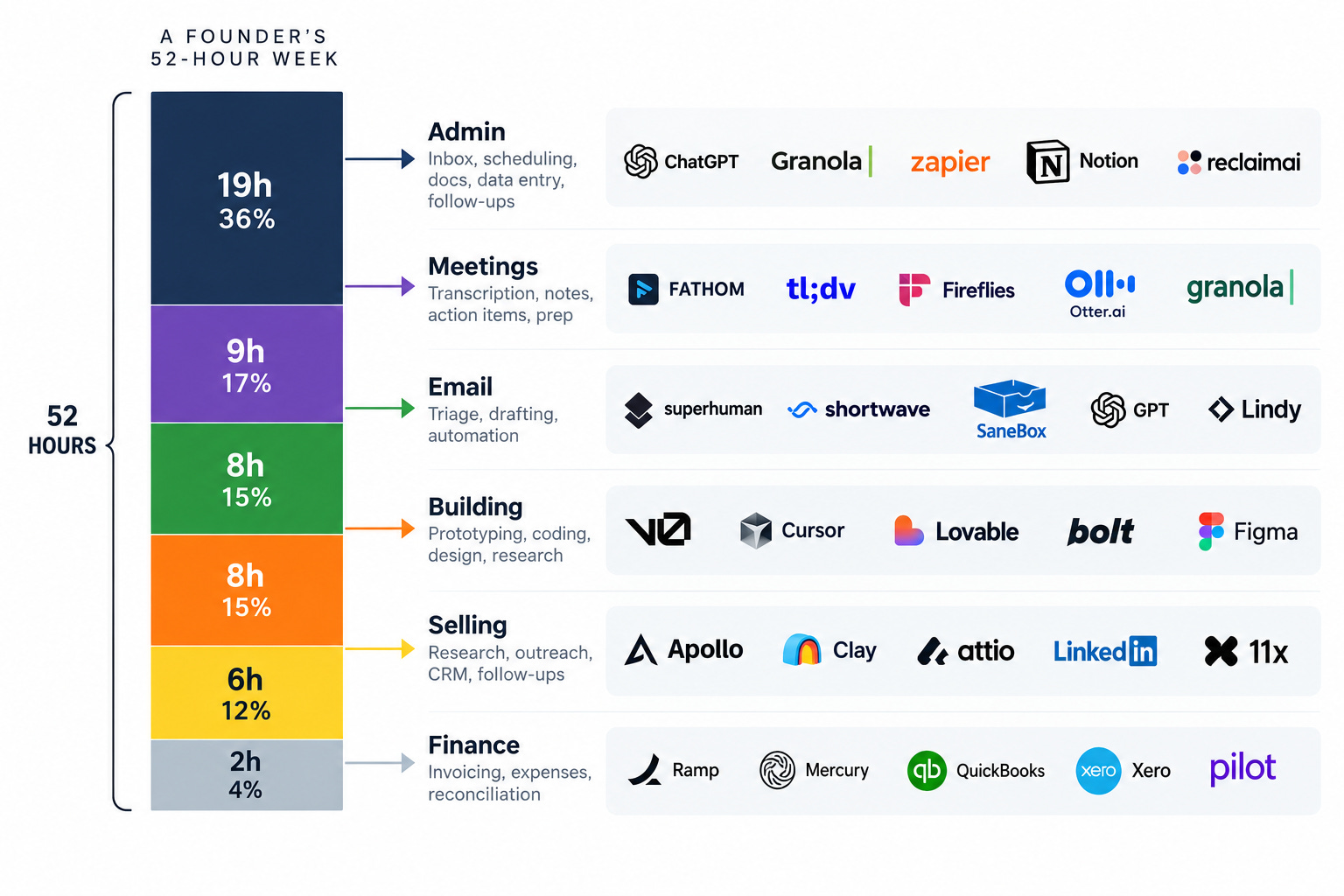
Those three cover input, meetings and email. A Time etc survey of 251 entrepreneurs put 36% of the average founder’s week into admin, and Amex’s SME Business Barometer found UK small business owners spending around 11 hours a week on admin and finance against 3.6 days a month on actual selling. Wispr, Granola and Fyxer take most of that back.
They are also the easy part. The other thirty-seven are where the leverage stops being personal and starts being structural.
What You Get
Thirty-seven more tools, each with the same five-part breakdown, grouped into seven categories so you can go straight to your bottleneck.
Twenty-one verified discounts and grants, with eligibility and application links. Among them:
A CRM at up to 80% off in year one. Roughly $3,800 back on five seats
A support agent at 93% off year one, plus 300 free resolutions a month
A voice tool giving 680 hours of audio free for twelve months
An analytics platform giving $50,000 in credits
A workspace at six months free, an automation platform at a full year free
An editing tool at 35% off annual that nobody writes about
And one nobody has published anywhere: a stack that quietly takes a voice agent from 30 cents a minute to 10
Eleven free tiers generous enough that a seed-stage company never has to pay. One gives you a million events a month. One gives away an entire browser that launched at $200. One stays free until you cross $20,000 in transactions.
The AI credits map. Seven programmes from $2,000 to $350,000, with the eligibility gate for each stated plainly, including the three a bootstrapped founder can get with no investor at all.
Four warnings worth more than the discounts. One tool killed its free plan this year and every guide online still calls it free. One advertises five cents a minute and costs six times that. One has issued zero codes in two years, so every coupon site offering one is lying. And one category leader deleted its middle tier in 2026, leaving a free plan and then a cliff into a five-figure contract.
The 40-tool checklist at the end. Every tool, what it kills, whether the free tier is enough, and the exact discount with the link, in one table you can work down in an afternoon.
Paid subscribers also get:
60+ additional tools across every stage of fundraising and company building: investor research, pitch deck screening, meeting prep, term sheet analysis, financial models, and the full investor database library.
Download Below
Start your 7-day free trial → Cancel anytime.